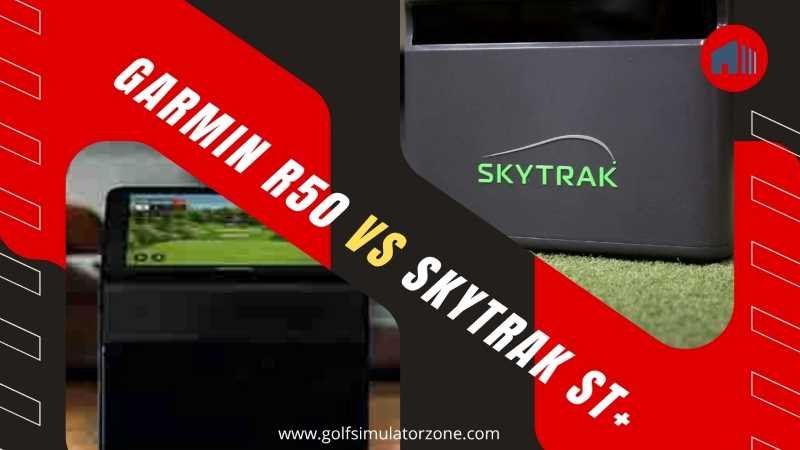
Garmin R50 vs SkyTrak ST+ Launch Monitor: The Ultimate Showdown for Your Home Simulator
You walk into your garage on a rainy Tuesday evening, desperate to shake off that slice that’s been haunting you all month. You reach for your launch monitor—but which one? The Garmin Approach R50 that fires up like a gaming console with its own screen, or the SkyTrak ST+ that quietly awaits your iPad to come alive?
Garmin R50 vs SkyTrak ST+ Launch Monitor: That’s the dilemma thousands of home golfers are wrestling with in 2026, and honestly, it’s a pretty good problem to have. Both of these launch monitors have stormed into the market, promising tour-level data without the tour-level price tag. But here’s the million-dollar question (or rather, the 2,000−5,000 question): which one actually deserves a spot in your setup?
Let’s cut through the noise. I’ve spent countless hours digging into the specs, real-world testing data, and user reviews to bring you the most comprehensive, no-fluff comparison between the Garmin R50 and the SkyTrak ST+. By the time you finish reading, you’ll know exactly which launch monitor fits your game, your space, and your budget. Grab a coffee—this is going to be good.

How They Track Your Shots: The Technology Battle
Before we start splitting hairs over price and features, you need to understand the engine under the hood. How these two monitors “see” your golf ball makes all the difference.
1. The Garmin R50’s Triple-Camera System
The Approach R50 relies on three high-speed cameras positioned to capture your club and ball at the moment of impact—no radar, no guesswork, just pure optical data. Think of it like having three slow-motion cameras filming your swing from slightly different angles, then instantly crunching the numbers.
These cameras work in tandem to track more than 15 ball and club metrics in real time, including spin rate, spin axis, ball speed, launch angle, and face-to-path. Because the R50 uses cameras rather than radar, it measures spin directly—it actually sees the dimples rotating on the golf ball, which means more reliable numbers regardless of whether you’re indoors or out.
2. The SkyTrak ST+ Dual Doppler Radar + Camera Combo
The SkyTrak ST+ takes a hybrid approach that’s genuinely clever: it pairs dual Doppler radar with a photometric camera system. The radar handles club data—things like clubhead speed, club path, and face angle—while the camera captures ball launch conditions.
Here’s the nuance: the ST+ measures clubhead speed directly via radar, but calculates other club metrics like face angle and path using AI-powered algorithms. That’s not necessarily bad—in fact, many users report the numbers being remarkably close to high-end units—but it’s a fundamentally different philosophy from Garmin’s direct-measurement approach.
So which is better? Well, that depends on whether you prefer seen data or calculated data. The R50 shows you what actually happened; the ST+ makes a very educated guess.


Garmin R50 vs SkyTrak ST+ Feature Comparison: What’s Under the Hood
Now let’s look at what you actually get when you unbox these things.
1. Built-in Display vs. External Device Dependency
This is the single biggest differentiator between the two monitors, and it’s something you’ll feel every single time you practice.
The Garmin R50 rocks a gorgeous 10-inch built-in color touchscreen with a 1280×800 resolution. You unbox it, place it on the floor, turn it on, and within five minutes you’re hitting balls—no phone, no tablet, no laptop required. It’s like the difference between a smart TV and a monitor that needs a separate box: the R50 is the smart TV.
The SkyTrak ST+ has no display of its own. You’ll need an external device—iPad, iPhone, PC, or Android tablet—to view your data and run simulation software. If you already own a nice iPad or have a dedicated SIM PC, this isn’t a dealbreaker. But it’s an extra step, an extra device to keep charged, and an extra potential point of failure.

2. Data Points Measured
Both units deliver an impressive suite of metrics, but there are subtle differences worth noting:
| Garmin R50 tracks | SkyTrak ST+ tracks |
|---|---|
| Ball speed | Clubhead speed (measured directly by radar) |
| Launch angle | Ball speed |
| Spin rate and spin axis | Launch angle |
| Carry and total distance | Backspin and sidespin |
| Clubhead speed | Carry and total distance |
| Face-to-path | Club path and face angle (AI-calculated) |
| Smash factor | Smash factor |
| And more (15+ total data points) | Descent angle |
The key distinction? The R50 measures everything via its cameras and captures high-speed impact videos so you can actually watch your club meet the ball in glorious slow motion. The ST+ measures clubhead speed with radar but leans on algorithms for the other club data. Both get the job done, but the R50 gives you visual proof of what happened.
3. Software and Simulation
Software is where the daily experience of owning one of these units truly diverges.
The Garmin R50 comes loaded with Home Tee Hero—Garmin’s own simulator software that includes over 43,000 golf courses right out of the box (with an active Garmin Golf membership). But here’s the catch: the R50’s built-in practice range is fairly basic. Users have noted that it lacks features like configurable flag distances and detailed game improvement tools.
If you want a deeper practice experience with skill assessments and bag mapping, you’ll need to connect to third-party software like E6 Connect or GSPro, which the R50 supports but requires additional purchases.
The SkyTrak ST+ integrates seamlessly with a broader ecosystem. Out of the gate, you get access to SkyTrak’s own Game Improvement software, plus compatibility with E6 Connect, WGT, TGC 2019, GSPro, and more. The ST+ also offers Shot Optimizer, skills assessments, bag mapping, and wedge matrix features that serious practice junkies will love. SkyTrak’s software experience is simply more mature and feature-rich than Garmin’s.
Accuracy: Which One Is Closer to the Truth?
Let’s be real—this is what you really care about. You can have all the bells and whistles in the world, but if the numbers are wrong, the unit is a paperweight.
Here’s what the real-world testing shows:
The Garmin R50 has earned a reputation for excellent accuracy. When tested head-to-head against the Foresight GCQuad (a unit costing north of $15,000), the R50’s ball data aligned almost perfectly across ball speed, launch angle, spin rate, and carry distance. Against TrackMan, it averaged 218.4 yards of carry versus 226 yards—a difference of about 3.5%—with a ball speed variance of just 0.82%.
In a head-to-head user comparison with the SkyTrak+, the R50 averaged 149.2 mph ball speed with driver versus 148.7 mph for the SkyTrak, and 247 yards carry versus 245 yards—remarkably close numbers.
The SkyTrak ST+ isn’t far behind. Independent testing shows accuracy within 2 yards of high-end units like GCQuad. Ball speed readings are essentially dead-on, and spin rates are within 50 RPM of professional-grade monitors. However, some users have reported occasional quirks, like physically impossible smash factor readings (a 1.60 smash factor, for instance) and club path numbers that can drift under certain lighting conditions.
The bottom line: For 99.5% of golfers, the accuracy difference between these two units will never be noticeable. They both deliver professional-grade data that’s more than sufficient for meaningful practice and club gapping. The R50 gets a slight edge for its direct-measurement approach and more consistent outdoor performance, but you’d need lab-grade equipment to spot the delta.


Setup and Ease of Use
Remember the last time you bought a gadget that promised “simple setup” and then ate up two hours of your Sunday afternoon? Let’s see how these two actually perform.
1. Plug-and-Play vs. Calibration Routines
The Garmin R50 has been described by multiple users as “crazy easy to set up”—we’re talking hitting balls five minutes after taking it out of the carrying case. You power it on, follow a few on-screen prompts to connect to Wi-Fi and create a Garmin account, and you’re off. The alignment process is intuitive, and because the unit is self-contained, there are no syncing headaches between devices.
The SkyTrak ST+ takes a bit more patience. You’ll need to download the SkyTrak app, register your device, connect via USB or network mode, and potentially run calibration routines. Users have reported that the connection can be “clunky at first,” though it becomes second nature after a few sessions.
The ST+ also requires a level, parallel setup to your hitting line—something that’s straightforward in a permanent sim room but slightly fiddly if you’re setting up and tearing down frequently.
If you value a grab-and-go experience, the R50 wins this category hands down.
Portability and Outdoor Performance
Both units claim to work indoors and outdoors, but let’s look at the reality.
The Garmin R50 comes with a padded carrying case and shoulder strap, making it genuinely portable despite its larger size (about 16.5″ × 10.6″ × 7.5″ and 4.1 kg). Its three-camera system handles varied outdoor lighting conditions well, and the IPX3 water rating means a light drizzle won’t kill your session. Battery life is rated at up to 4 hours on a full charge, giving you plenty of range time.
The SkyTrak ST+ is more compact—just 6.9″ tall and 1.7 lbs—making it easier to toss in a golf bag. However, its performance outdoors comes with caveats. The ST+ works best on mats (not grass), requires consistent lighting, and can struggle with uneven ground. It’s really designed with indoor use in mind, even if outdoor functionality exists.
If you’re a range rat who loves hitting off real turf in changing conditions, the R50 is the clear winner. If you’re building a dedicated indoor simulator and rarely venture outside, the ST+ will serve you beautifully.
Subscription and Ongoing Costs
Here’s where things get interesting—and where the price gap starts to shrink.
The Garmin R50 requires a Garmin Golf membership to access its full simulator capabilities: 9.99/month or $99/year for the Home Tee Hero plan. That’s it. One subscription. One ecosystem. If you want to add third-party software like GSPro, that’s an additional cost, but the built-in experience is already quite capable for casual rounds.
The SkyTrak ST+ has a more complex subscription structure. The Essential plan starts at 129.95/year, and adding CoursePlay bumps the total to roughly . Over five years, that’s 1,750insubscriptionfeesversusjust
Now do the math: The R50 costs 2,000−3,000 more upfront. But over five years, the subscription gap eats up roughly 1,255 of that difference. That brings the true cost difference closer to $745- $1,745 over a half-decade—still significant, but far less jarring than the sticker price suggests.
Price and Value: The Numbers That Matter
Let’s lay it all out in a table you can actually use:
| Features | Garmin Approach R50 | SkyTrak ST+ |
|---|---|---|
| Upfront Price | $4,999.99 | 1,995−2,995 (often discounted) |
| Annual Subscription | $99/year (Home Tee Hero) | ~$350/year (Essentials + Course Play) |
| 5-Year Total Cost | ~$5,495 | 3,745−4,745 |
| Built-in Display | Yes (10″ touchscreen) | No (requires external device) |
| Tracking Technology | 3 high-speed cameras | Dual Doppler Radar + Photometric Camera |
| Metrics Tracked | 15+ ball and club metrics | Comprehensive ball and club data |
| Simulator Software | Home Tee Hero (43,000+ courses) + third-party support | SkyTrak Game Improvement + E6, GSPro, WGT, TGC |
| Portability | Larger with carrying case; 4-hour battery | Compact and lightweight |
| Indoor/Outdoor | Excellent indoors and outdoors | Best indoors; limited outdoor on mats |
| Setup Time | ~5 minutes | ~10-15 minutes with calibration |
| Impact Video | Yes (high-speed) | No |
| Game Improvement Tools | Basic practice range | Shot Optimiser, bag mapping, skills assessments |
Pros and Cons at a Glance
1. Garmin R50
| Pros | Cons |
|---|---|
| All-in-one design with a stunning built-in display | Expensive upfront at $4,999.99 |
| Faster setup—truly plug-and-play | Basic practice software compared to SkyTrak |
| Superior outdoor performance with IPX3 water resistance | Larger and heavier—less pocket-friendly |
| Direct spin measurement via triple cameras | Requires club stickers for certain club data metrics |
| Lower ongoing costs with a $99/year subscription | Limited game-improvement tools without third-party software |
| High-speed impact videos for visual feedback | |
| No external device required—everything’s onboard |
2. SkyTrak ST+
| Pros | Cons |
|---|---|
| Lower entry price—often discounted to $1,995 | No built-in display—requires iPad, PC, or phone |
| Rich software ecosystem with advanced practice tools | Higher long-term subscription costs (~$350/year) |
| Compact and lightweight—easy to store | Trickier setup with calibration requirements |
| Broad third-party compatibility (GSPro, E6, WGT, TGC) | Outdoor use is limited to mats and consistent lighting |
| Proven accuracy within 2 yards of GCQuad | Club data is AI-calculated, not directly measured |
| No club stickers needed for club data | |
Who Should Buy Which?
If you’ve made it this far, you’ve probably already got a gut feeling about which one’s for you. But let me make it crystal clear:
Choose the Garmin R50 if:
- You value convenience above all else and want to be hitting balls within five minutes
- You plan to use your launch monitor outdoors on real grass ranges
- You don’t want to fuss with external devices, apps, or syncing
- You can stomach the higher upfront cost and prefer lower ongoing fees
- You want impact videos to visually analyse your club-ball contact
Choose the SkyTrak ST+ if:
- Budget is your primary concern, and you want the most affordable entry point
- You’re building a dedicated indoor simulator and already have a display device
- You crave detailed practice tools like Shot Optimiser, bag mapping, and skills assessments
- You want the flexibility of multiple third-party software options
- You’re willing to invest a few extra minutes in setup for more comprehensive data
Conclusion
So, where does that leave us? After putting the Garmin R50 and SkyTrak ST+ under the microscope, one thing is obvious: you genuinely can’t go wrong with either. Both deliver accuracy that would have required a $15,000 unit just five years ago, and both will transform how you practice and play at home.
The R50 is the iPhone of launch monitors—beautiful, self-contained, and effortless to use. The ST+ is more like a high-end Android—versatile, customizable, and slightly more hands-on, but incredibly capable once dialed in. Your choice really comes down to whether you prioritize convenience or cost, and whether you value a built-in display more than advanced practice software.
If you forced me to pick? For the golfer who just wants to grab their clubs and go, the Garmin R50’s all-in-one magic is hard to resist. But if you’re a data nerd who wants to dive deep into every aspect of your swing, the SkyTrak ST+ gives you more analytical firepower for less money upfront.
The most important thing is this: whichever one you choose, you’ll be hitting more balls, understanding your game better, and having an absolute blast. And honestly, isn’t that the whole point?
FAQs About Garmin R50 vs SkyTrak ST+ Launch Monitor
Does the Garmin R50 require special golf balls or club stickers?
The R50 works with standard golf balls. For club data, it requires a small sticker placed on the clubface to track speed and path accurately—no special balls needed.
Can I use the SkyTrak ST+ with my iPhone or Android phone?
Yes! The SkyTrak ST+ works with iOS and Android devices, as well as PCs and Macs. You’ll need to download the SkyTrak app and connect via Wi-Fi, USB, or network mode.
Which unit is better for left-handed and right-handed players sharing the same space?
Both work fine—you simply move the unit to the opposite side of the hitting area when switching hands. Neither requires calibration changes for left vs. right.
Do either of these units measure putting?
Yes, both the Garmin R50 and SkyTrak ST+ can measure putting data, including ball speed and launch direction, though putting accuracy is generally less precise than full-swing data across all consumer launch monitors.
Will the Garmin R50 work without Wi-Fi?
The R50 can operate as a launch monitor without Wi-Fi, displaying your shot data on the built-in screen. However, you’ll need internet access for course play through Home Tee Hero and for syncing data to the Garmin Golf app.