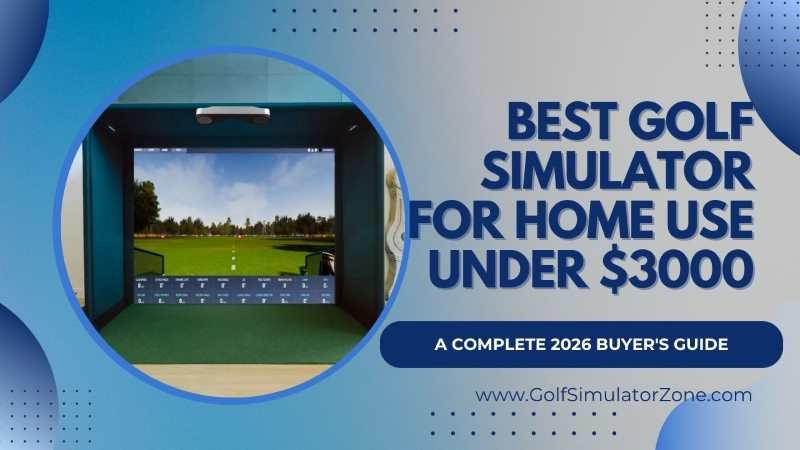
Best Golf Simulator for Home Use Under $3,000: A Complete 2026 Buyer’s Guide
Modern golf simulators have become surprisingly affordable. You no longer need to spend $15,000 or more to enjoy realistic ball tracking, virtual golf courses, swing analysis, and game-improvement tools. In fact, some budget-friendly setups now offer incredible accuracy that rivals professional systems.
Best Golf Simulator for Home Use Under 3000 – In 2025 and stretching boldly into 2026, the technology curve has absolutely flattened. You no longer need to sell a kidney or cash out Bitcoin to play Pebble Beach in your pajamas. In fact, the best golf simulator for home use under $3,000 now delivers measured ball data, zero-latency feedback, and subscription-free software that rivals systems twice the price.
But let’s be real for a second: the market is a jungle. Every brand screams accuracy, and every Amazon listing looks like a shiny arcade game. How do you separate the toys from the genuine game-improvement tools?
Having personally dug through the specs, talked to the tinkerers, and watched thousands of virtual drives slice into digital trees, I’m here to give you the no-fluff guide. We’ll look at full-send simulators, portable radar units, and even the DIY route that turns your garage into the clubhouse.
Why Golf Simulators Are So Popular?
Golf simulators exploded in popularity over the last few years. Why? Because golfers want convenience. Imagine practicing your swing at midnight while wearing pajamas. Sounds crazy, right? Yet that’s exactly what many golfers do today.
A home golf simulator gives you:
- Year-round practice
- Instant swing feedback
- Virtual golf courses
- Entertainment for friends and family
- Better consistency on the course
It’s like having a driving range, golf coach, and gaming system all rolled into one.

Why Invest in a Home Golf Simulator?
Think of a home simulator like a gym membership that actually pays for itself. How much did you spend last year on range buckets, green fees, and gas driving to the course? For most golfers, that number climbs past a few thousand dollars without much effort. A budget indoor golf simulator flips the script. You practice daily, analyze every shot, and play famous courses at midnight if you want—all while wearing pajama pants.
But it’s not just about convenience. It’s about feedback. When you can see your spin rate, launch angle, and carry distance after every single swing, improvement stops being a guessing game. It becomes data-driven. And under $3,000, you’re no longer sacrificing accuracy for affordability. The technology has trickled down from $20,000 commercial units into compact devices that sit beside your golf bag.
Why $3,000 Is the Absolute Sweet Spot?
You might be wondering, “Can I build a decent home golf simulator setup for under $3,000?” The short answer? Absolutely—and you’ll be surprised at the fidelity you get. The long answer is that this budget sits right on the fault line between “toy” and “tool.”
Spend $500, and you’ll get a gadget that guesses your slice. Spend $3,000, however, and you’re suddenly working with photometric cameras, precision Doppler radar, and actual measured spin rates rather than calculated estimates. This is the price point where you stop playing a video game and start practicing real golf.
It allows you to afford a rock-solid launch monitor (the brains), a durable hitting mat (the body armor), and a net or impact screen (the canvas). You might not get a 4K laser projector and a full-blown automated enclosure at this price, but you will absolutely get a setup that lowers your handicap.
What do you get under $3,000?
A few years ago, a $3,000 budget barely scratched the surface. Today, it can build an impressive setup. Typically, a Best Golf Simulator for Home Use Under 3000 package includes:
- Launch Monitor – Tracks ball speed, spin, carry distance, and launch angle.
- Hitting Mat – Protects your floors and simulates real turf.
- Impact Screen or Net – Stops the golf ball safely.
- Golf Simulator Software – Creates virtual courses and practice modes.
- Projector or TV Setup – Displays gameplay and data.
Think of it like building a home theater — except instead of movies, you’re smashing drives down the fairway.
What Makes a Great Budget Home Golf Simulator?
 It’s easy to get hypnotized by a flashy trailer of a golfer striping a drive down the middle. But when you’re hunting for an affordable home golf simulator, it’s the invisible engineering that matters. Accuracy isn’t just a buzzword; it’s the difference between knowing you’re hitting a 150-yard draw and thinking you are.
A great simulator under three grand needs three things: reliable data capture (measured, not guessed), instantaneous feedback (low latency), and full-bag versatility without forcing you into a pricey subscription jail.
If your simulator can’t accurately tell you why your wedge spun back 15 feet or why your driver launched at 17 degrees, you’re just getting a workout. Look for systems that offer a tight marriage between hardware and software, and keep an eye out for lifetime subscriptions or free course packages—they’re the unicorns of this space.
Important Features to Look For
Not every affordable golf simulator is created equal. Here’s what matters most.
- Accuracy – If the numbers are wrong, your practice becomes useless. Ball speed and carry distance should be reliable.
- Simulation Software – Some software looks like a video game from 2004. Others feel nearly lifelike.
- Space Requirements – Always measure your ceiling height first. Many golfers forget this step.
- Ease of Setup – Nobody wants a complicated installation that feels like assembling a spaceship.
- Portability – Some systems can travel from the garage to the backyard within minutes.
Top Contenders for the Best Golf Simulator for Home Use Under 3000
Let’s get to the meat. These aren’t just the flashiest launch monitors; these are the complete packages—or the critical brains around which you can build a killer setup without breaking the bank.


1. SkyTrak+ (ST MAX): The Software Powerhouse
SkyTrak has been a household name for ages, but the SkyTrak+ (and its newer sibling, the ST Max) cranks the volume to eleven. Priced around 1,995(with the STMAX hovering at 2,995), this photometric and radar hybrid offers stellar data accuracy—within 2% of a $20k+ Trackman, some claim.
The real magic, however, is the software ecosystem. SkyTrak’s integration with play-and-improve features, target practice, and full course play is buttery smooth. If you’re the type who loves geeking out over data overlays and skill challenges, the SkyTrak+ room might be your ultimate home simulator for tech-savvy golfers.
2. FlightScope Mevo Gen2 / Mevo+: The Radar King
FlightScope flipped the script with the Mevo Gen2. For 1,199(often bundled with an enclosure for well under 3k), you get Fusion Tracking (3D Doppler radar plus camera processing), 18 data parameters, and—wait for it—zero subscription fees for life. That’s right. You get eight premium E6 Connect courses bundled in, and you never pay a dime again. In a world where Bushnell charges $500 a year for a course library, this feels like stealing.
The older Mevo+ has also dropped in price (often found around $1,499 now), making it a killer radar option if you have the space behind you that radar units crave. If you’re building an outdoor/indoor hybrid simulator and hate subscriptions, the Mevo series is your best friend.
3. Rapsodo MLM2PRO: The Visual Learner’s Dream
The Rapsodo MLM2PRO lives in your pocket and plays well with your iPhone. At 699.99, it leaves you a massive chunk of change for a premium enclosure and mat, making it the perfect base for a sub-3k DIY build.
It uses dual optical cameras and radar processing to give you true spin rates, and the Impact Vision feature (slow-motion replays of your club meeting the ball) is a game-changer for visual learners. If you want a portable launch monitor simulator combo that travels to the range as easily as it lives in your garage, this is it.

4. Garmin Approach R10 – Best Ultra-Budget Option
Sometimes you just want to dip your toe in the water without diving into the deep end. Enter the Garmin Approach R10, a device smaller than a deck of cards that delivers a shocking amount of functionality for roughly $399–$599.
This little radar unit tracks club head speed, ball speed, launch angle, smash factor, and more. Pair it with the Garmin Golf app, and suddenly you’ve got access to over 42,000 virtual courses through Home Tee Hero. Add a hitting net and mat, and you’ve got a complete practice station for well under $1,000.
- Portability Meets Performance – I love the R10 because it removes every barrier to entry. No PC required. No complex calibration. Ten minutes of setup, and you’re hitting balls. It’s the ultimate beginner golf simulator package.
- Real-World Limitations – Let’s be honest: the R10 estimates some data points rather than measuring them directly. Spin numbers can wobble, especially without Titleist RCT balls. But for grooving your swing, tracking trends, and having fun with virtual rounds? It punches so far above its weight it’s almost unfair.

5. Uneekor EYE MINI Lite – Best Indoor Accuracy
At approximately $2,749, the EYE MINI Lite pushes right up against our budget ceiling, but hear me out: this is Uneekor-grade photometric accuracy at a price that was unthinkable two years ago.
The “Lite” version strips out the built-in display and battery—things you don’t need for a permanent indoor setup—and passes the savings directly to you. It captures full ball and club data, including face impact location, using infrared camera technology that rivals systems costing twice as much.
Camera-Based Precision
If you’re building a dedicated simulator room and want the most trustworthy data possible under $3,000, this is it. The EYE MINI Lite doesn’t estimate spin; it measures it. That matters when you’re trying to dial in wedge distances or eliminate that nasty slice.
The Trade-Offs
It’s indoor-only and PC-only. No iPad. No backyard sessions. And while the native View software is excellent, third-party software access requires a subscription after the included 3-month trial. But for pure indoor performance? It’s a heavyweight in a lightweight price bracket.
6. Bushnell Launch Pro Budget Build
The Bushnell Launch Pro sits near the upper edge of the budget range, but savvy shoppers can still build a setup under $3,000.
Why It Stands Out
Its accuracy is genuinely impressive. Many golfers compare it to systems costing twice as much.
Pros
- Tour-level precision
- Fast response time
- Strong software ecosystem
Cons
- Higher subscription costs
- More expensive upfront
Best For: Serious golfers chasing lower handicaps.
Head-to-Head Comparison: Top Simulators Under $3,000
To help you visualize the battlefield, I’ve broken down the heavy hitters across the key metrics that actually matter for your wallet and your wedge play.
| Feature | FlightScope Mevo Gen2 | SkyTrak+ | Rapsodo MLM2PRO |
|---|---|---|---|
| Price | $1,199 | $1,995 | $699.99 |
| Tracking Tech | Fusion (Radar + Camera) | Photometric + Radar | Dual Camera + Radar |
| Spin | Measured | Measured/Calculated | Measured |
| Latency | Low Latency | Low Latency | Low Latency |
| Subscription | None | $129.95+/yr (Essential Plan) | Optional Premium ($329 Lifetime) |
| Ideal For | Mixed-Handed / Outdoors | Software & Data Geeks | Portability & Visual Feedback |
| Bundle-Ready | Yes (E6 Courses Included) | Great with SwingBay | Great with GoSports Net |
| View Details | View Details | View Details |
| Simulator | Best For | Approx Price | Accuracy | Portability | Subscription | |
|---|---|---|---|---|---|---|
| SkyTrak+ | Serious Practice | $2,800 | Excellent | Medium | Optional | View Details |
| Garmin R10 | Beginners | $1,000 | Good | Excellent | Optional | View Details |
| Rapsodo MLM2PRO | Swing Analysis | $900 | Very Good | Excellent | Required | View Details |
| OptiShot Orbit | Entertainment | $700 | Moderate | Good | No | View Details |
| Bushnell Launch Pro | Competitive Golfers | $2,999 | Elite | Medium | Yes | View Details |
| Feature | FlightScope Mevo Gen2 | SkyTrak+ (Closeout) | Uneekor EYE MINI Lite | Garmin R10 | Rapsodo MLM2PRO |
|---|---|---|---|---|---|
| Price | ~$1,299 | ~$1,795 | ~$2,749 | ~$399–$599 | ~$699 |
| Technology | Radar + Camera Fusion | Camera + Radar Hybrid | Photometric Camera | Radar | Radar + Camera |
| Indoor Accuracy | Excellent | Very Good | Outstanding | Fair | Good |
| Space Needed | ~8 ft behind the ball | Beside ball | Beside ball | ~6–8 ft behind | ~6–8 ft behind |
| Portability | High | Medium | Low (indoor only) | Very High | High |
| Subscription Required | No (core data) | Yes (for full courses) | Yes (after trial) | Yes (for Home Tee Hero) | No (basic) |
| Best For | All-around value | Mac/iPad users | Dedicated indoor rooms | Entry-level budgets | Mid-budget hybrid |
| View Details | View Details | View Details | View Details | View Details |


Hidden Costs That Can Wreck Your $3,000 Budget
Let’s talk about the elephant in the room—or rather, the unexpected mouse that eats your cheese. A 3,000 budget for a complete golf training studio can vanish if you forget the auxiliaries. The gaming computer is the big one. A laptop that can smoothly run GS Pro at 1080p will set you back at least $800–$1,000. If you overlook this, your launch monitor box will arrive looking beautiful and utterly useless.
Then there’s the projector. Short-throw 1080p projectors, essential for avoiding shadows on impact screens, start around 600. Cables, mounts, and blackout curtains to kill ambient light bleed are another $150. Don’t be the person who blows their entire budget on a launch monitor and ends up hitting into a bed sheet with a laggy iPad. Treat the simulator like a system, not a single purchase.
Are Subscription Fees Worth It?
Here’s my hot take: sometimes yes, sometimes no. If you’re primarily using your affordable home golf simulator for practice and swing improvement, free driving range software gets the job done. But if you want to play St. Andrews on a Tuesday night with your buddies? That course library is worth every penny. Think of subscriptions like Netflix for golfers. You don’t need it, but life is a lot more fun with it.
Software Showdown: GSPro vs. E6 Connect vs. Awesome Golf
You’re not just buying a box; you’re buying a software relationship. The best golf simulation software for home users turns a simple cage into a portal to St. Andrews. GSPro remains the community darling, boasting stunning 4K graphics and a library of over 1,000 user-created courses for around $250/year.
E6 Connect (bundled with FlightScope and others) offers ultra-realistic physics and officially licensed iconic courses. Awesome Golf is the scrappy upstart with polished, arcade-style driving ranges and skill games that make practice dangerously addictive.
If your budget is tight, pay close attention to what’s included. Buying a launch monitor that forces you into a $500/year plan (looking at you, Bushnell) can completely derail your cost-effective home golf simulator strategy. In my book, no recurring fee is the ultimate flex.
Final Thoughts on Your Indoor Golf Investment
The best golf simulator for home use under 3000 isn’t a single magic product you can pluck off a shelf. It’s a harmonious combination of capable launch monitors, comfortable matting, and immersive software that fits your specific space and goals. If you’re a family man who wants to play 18 holes with lefty Uncle Bob without rearranging the room every swing, the subscription-free Mevo Gen2 bundle is a revelation.
We’re living in a golden age where premium golf simulation accuracy has trickled down into affordable, American-made, and meticulously engineered boxes. The “budget” stigma is dead. The feedback is real, the graphics are lush, and the ability to play all year round—regardless of frost or thunderstorms—is a luxury worth every penny.
Don’t overthink the purchase down to the last USB cable. Grab a system that measures truthfully, set it up, and get back to chasing those birdies.
FAQs About Best Golf Simulator for Home
What is the most accurate golf simulator under $3,000?
The Bushnell Launch Pro and SkyTrak+ are widely considered the most accurate options in this price range.
Can I use a golf simulator in a small room?
Yes, but ceiling height matters. Most golfers need at least 9-foot ceilings for comfortable swings.
Do golf simulators require subscriptions?
Some do. Systems like Rapsodo MLM2PRO and Bushnell Launch Pro often require subscriptions for premium features and courses.
Is Garmin R10 good enough for serious practice?
Yes, especially for beginners and mid-level golfers. It offers excellent value for the price.
What is the cheapest way to build a home golf simulator?
A basic setup with a Garmin R10, hitting net, practice mat, and TV can cost under $1,500 while still delivering a fun and useful experience.
Can I really get a reliable golf simulator with measured spin for under $3,000?
Absolutely. The technology has rapidly advanced, and units like the RSG One and Rapsodo MLM2PRO now offer true measured spin data—not just calculated guesses—for well under three grand.
Is a radar-based simulator or a camera-based simulator better for my garage?
It depends on your available depth. Camera-based photometric monitors (like SkyTrak+ or RSG One) sit beside the ball and are perfect for shallow rooms. Radar-based monitors (like FlightScope Mevo+) require 8+ feet behind the impact zone to catch the ball's full flight, making them better suited for longer rooms or outdoor setups.
What is the most annoying ongoing cost most budget buyers forget about?
Subscription fees. Some launch monitors lock their best simulation software behind annual paywalls costing $300–500/year. The best value bets, like the FlightScope Mevo Gen2, include lifetime access to a course library with zero ongoing fees, which saves you thousands over the years.
Can I use a TV instead of a projector for my home simulator setup?
Yes, and it’s a smart way to save money. If you’re hitting into a net rather than an impact screen, placing a large flat-screen TV to the side or in front of you is perfectly effective. It eliminates the extra cost of a short-throw projector and the headache of ambient light control.
How do I protect my wrists and elbows when hitting off a mat?
Invest in a high-quality, multi-layer hitting mat. A cheap, thin mat placed directly on concrete acts like a shock absorber for your joints in the worst way possible. Look for mats with a dense foam base of at least 12mm to simulate a real divot without the punishing feedback. Allocate at least $300 in your setup budget here; your body will thank you.
Do I need a gaming PC for every simulator under $3,000?
No. The Garmin R10 runs entirely through smartphones and tablets. SkyTrak+ supports iPad natively. However, if you want to run GSPro or E6 Connect with photorealistic courses, a Windows gaming PC is typically required.
How accurate are budget launch monitors compared to $10,000+ units?
Shockingly close for ball data. Under $3,000, units like the Mevo Gen2 and EYE MINI Lite deliver spin, launch angle, and carry distances that rival commercial systems. Where premium units pull ahead is in club data granularity, software ecosystems, and zero-compromise build quality.
Can left-handed and right-handed players use the same setup?
Generally yes, but with caveats. Side-placed camera units like the SkyTrak+ and EYE MINI Lite may require repositioning or wider hitting mats. Overhead and behind-the-ball radar units typically accommodate both without adjustment.
Will a golf simulator actually help me lower my handicap?
If you use it with intention, absolutely. Randomly hitting balls without reviewing data is just exercise. But when you analyze trends, work on specific yardages, and practice with purpose, a home golf simulator setup under $3k becomes one of the most effective training tools you can own.