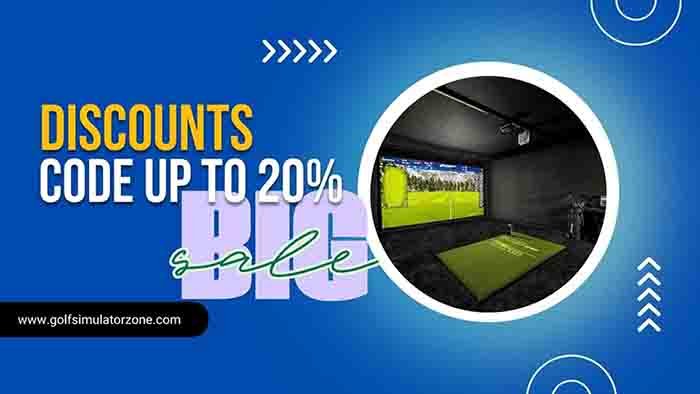
Build a Premium Home Golf Simulator Enclosure on a Budget
Build premium golf simulator budget – A home golf simulator looks expensive until you price out what you actually need. The enclosure (screen, frame, side panels, and padding) is a perfect place to save serious money without giving up the feel of a premium setup.
This guide walks through a full DIY enclosure build that comes out similar to a popular Carl’s Place-style setup, but for a fraction of the price. You’ll learn how to plan your space, build a rigid EMT frame, prep a premium impact screen, hang side panels, and add the safety details that keep things quiet and controlled at impact.
Why a great launch monitor comes first
It’s tempting to start with the screen because it’s the biggest thing in the room. Still, the launch monitor is the piece that decides whether your simulator is fun for a week or useful for years.
A strong option here is the FlightScope MEVO+, mainly because it balances accuracy with cost. It’s been shown to perform within about 1 to 2% of high-end units like TrackMan, which can cost over $10,000 more. That accuracy matters most when you’re practising on purpose, not just hitting balls at a screen.
Setup is also simple. You power it on with one button, place it directly behind the hitting area, and start playing. Since it sits behind the ball, it works well when right-handed and left-handed golfers share the same space because you don’t have to keep moving the unit around.
Portability helps too. The MEVO+ folds up, stays compact, and can go outdoors if you want to take it to the range. What stands out most, though, is how well it tracks backspin and sidespin. That’s the difference between “the ball flew” and “the data matches the shot shape you actually hit.”

With ball flight handled, the enclosure becomes the next big piece. A good enclosure makes the simulator safer, quieter, and far more enjoyable to use.
Plan your space and set a realistic cost target
Before you buy anything, clear the space and measure it. If you’re building in a garage, that usually means a full clean-out so you can start on a flat, clean surface (especially if you’re adding simulator flooring).
When you measure, go as large as your room allows. You’ll almost never regret a screen that’s too big, but a screen that’s too small can feel cramped fast, especially with higher clubs and higher ball flights.
In this build, the space allowed for a 9-foot-tall by 12-foot-wide enclosure. That’s a comfortable size for a premium look and a confident swing, as long as you position it correctly and leave room behind it.

To understand the savings, it helps to compare against a common ready-to-build baseline. A comparable DIY enclosure kit setup (premium impact screen, 9 x 12 enclosure, plus pipe framing kit and foam inserts) lands around $2,245.
This DIY enclosure build comes in at $758, which is a savings of $1,487 compared to that baseline.
Here’s the cost comparison at a glance:
| Enclosure Option | What’s Included (Comparable Setup) | Cost |
|---|---|---|
| Carl’s Place-style DIY kit baseline | Premium screen, 9 x 12 enclosure, pipe framing kit, foam inserts | $2,245 |
| DIY build in this guide | EMT frame, premium raw screen + grommets, canvas panels, padding, backdrop, hardware | $758 |
| Savings | The difference between the two | $1,487 |
The takeaway is simple: if you’re willing to measure carefully and do the assembly, the enclosure is where the budget can stretch the farthest.
Materials and tools used in this enclosure build
You don’t need exotic parts, but you do need the right ones. The biggest “don’t” in this build is going too thin on the frame. For a larger enclosure, 1-inch EMT is the sweet spot because it stays rigid.
Here are the main materials referenced (with the same sources shown in the video description):
- 1-inch EMT conduit (10-foot lengths): The frame tubing (this build used 12 lengths).
- Golf simulator EMT corner fittings (11-piece set): Corner and edge connectors that clamp onto EMT.
- Metal primer and black spray paint: Optional, but it makes the enclosure look finished.
- Poly spacer impact screen raw material: Thick impact screen material is used here.
- Grommet tool set: For making your own grommets along the screen and fabric edges.
- Ball bungees: To tension the screen.
- Black duck canvas: Side and top enclosure fabric (5-foot wide).
- Sticky-back hook-and-loop rolls: Used in the original plan, but the adhesive didn’t stick to duck canvas.
- 2-inch mattress topper foam, contact adhesive, black poly satin fabric, and zip ties: For protective padding to close gaps.
- Black twine: Used for a clean, tight lacing method on the canvas.
- Black photography backdrop: Blocks light bleed through the impact screen.
- Foam pipe insulation for EMT: Added protection on the bottom bar behind the screen.
- Machine screws sized 1/4 in.-20 x 1/2 in.: A cleaner swap for the connector eyebolts.
Some links in the video description are affiliate links, which support the channel at no added cost.


Paint the EMT frame so it disappears in the finished setup
Painting the frame is optional, but it’s one of those small steps that changes the whole vibe. Some pipes remain visible once everything is assembled, and a black frame blends into the enclosure far better than raw metal.
Start with a metal primer. The primer helps the paint stick and gives a more even finish. After that, apply satin black spray paint. In the build shown, two cans covered the full set of tubing with two coats.
Two coats matter. After the first pass, the finish can look patchy, and you’ll often spot areas you missed. The second coat evens everything out and makes the tubing look consistent under projector light.
One more real-world note: the stickers on EMT can be annoying to remove. It’s not glamorous, but taking them off before priming saves time later and keeps the finish clean.
While the paint dries, you can prep the impact screen, which is where the enclosure starts to feel “premium.”
Prep a premium impact screen (and add grommets the right way)
A thick impact screen does more than display an image. It also controls bounce-back and helps the whole setup sound better. The screen used here is a high-end poly spacer material with a triple-air construction. It’s comparable in thickness and performance to other “premium” screens, and it holds up well even with higher ball speeds.
Buying raw screen material saves money, but raw material doesn’t come ready to mount. That’s why adding your own grommets is the key step.

Build premium golf simulator budget – Use a grommet tool set that includes both pieces of each grommet. One side looks like a small “top hat” (male piece) and the other is like a washer (female piece). Sandwich the screen between them, align, then squeeze the tool to punch and crimp.


A few details make this stronger and cleaner:
- Space grommets evenly along the top and both sides, aiming for about 16 to 18 inches between each one (about 17 inches was used in this build).
- Double up at the corners by placing one grommet on each edge meeting at the corner. This spreads stress instead of relying on a single corner grommet.
- Leave the bottom edge unfinished. The bottom gets secured differently later, and you’ll likely tuck material underneath anyway.
- Work indoors if you can, so the screen stays clean while you handle it.
If your screen is thinner, adding a strip of duct tape around the edges before punching grommets can add strength. With this thicker material, that step wasn’t needed.
Finally, remove shipping fold lines with a handheld steamer. It works on both the impact screen and the enclosure fabric and makes everything look flatter once the projector is on.
Assemble the EMT enclosure frame step-by-step
The frame here uses 1-inch EMT conduit in 10-foot lengths, connected with purpose-made corner and edge fittings. Don’t drop down to 3/4-inch for a large enclosure. It saves a little money, but it’s too flexible and can feel shaky.
Cut the EMT to match your enclosure size. A reciprocating saw with a metal blade works well, although a basic pipe cutter also gets it done.
For a 12-foot wide enclosure, two 10-foot lengths can be cut into 6-foot sections and connected in the middle to make the full span. Height in this build used 9-foot verticals. Depth landed at just under 5 feet, and that number is important for two reasons:
- You need enough space that your club never clips the frame.
- Your side fabric has a fixed width (the duck canvas used here is 5 feet wide), so you can’t build deeper than the fabric can cover with overlap.
Once you’re ready to assemble, build from the back and work forward. Three-way connectors at the back corners help tie the structure together.

A few practical build notes make this go smoother:
- Partially tighten the connector bolts as you go, then fully tighten everything once the frame is squared up.
- The front upright section can be the hardest to hold in place because the structure doesn’t fully support itself yet. Having a helper makes this step much easier. If you’re solo, use something sturdy to prop it temporarily.
- Leave at least 1 foot between the back of the enclosure and the wall. That gap helps stop ball impacts from transferring to the wall behind.
Swap eyebolts for machine screws (cleaner and easier)
Many connector sets use eyebolts to tighten down on the EMT. They work, but they’re slower to install, and they stick out visually.
A cleaner approach is to switch to machine screws once you confirm the thread size (a thread gauge helps). In this build, screws sized 1/4 in.-20 x 1/2 in. were used, painted black before installation. With screws, you can use a drill, and the fasteners are less noticeable when you’re standing in the hitting area.
Pro tip: Paint the screws before installing so they blend into the connectors and disappear under projector light.
Hang the impact screen and build the side panels
Once the frame is solid, it’s time to mount the impact screen. Ball bungees make this simple and adjustable.
Thread a bungee through a grommet, wrap it around the EMT, then hook it back onto itself. Start at the top left corner and work across the top edge first. Securing the top and side bungee at that corner early keeps the screen from shifting while you finish the row. After the top is set, work down each side.
Tension matters. A helpful sizing guideline is to cut the frame about 3 inches wider than the screen, leaving roughly 1 1/2 inches of gap per side. That creates constant tension on the bungees, which helps the screen stay flat.
The raw screen material shown here has a standard height of 10 feet. Instead of trimming it, tuck the extra material under the bottom and secure it from the back side. That’s also why it’s smart to have space behind your screen; you can actually reach the bottom edge to adjust and attach.
Next come the side and top panels. The build uses black duck canvas, a woven canvas similar to what you see on art canvases. It’s thin, durable, and it can handle a golf ball impact.
Attach the back edge with grommets and bungees, and line up those attachment points between the bungees holding the impact screen. Work from bottom to top, then across the top back edge, then down the other side.
The sticky Velcro problem (and the fix that held up)
The plan was to use sticky-back Velcro to secure the front and bottom edges. The Velcro itself is strong, but the adhesive backing didn’t stick to duck canvas at all. Even duct tape struggled to hold onto it, and after about 24 hours, the seams started coming loose.
If you want to try the Velcro method, test a small strip of your fabric at a craft store before you buy yards of it. Adhesive works fine on some fabrics, just not this duck canvas.
The solution that worked well here was a simple lacing method:
- Add grommets about every 18 inches down the front edge.
- Use black twine in a zigzag pattern, running around the frame and through each grommet.
- Pull it snug as you go, then tie off at the bottom.
From the outside, it looks neat. From inside the simulator, it looks even better because you don’t really notice the lacing lines at all.
To finish the look, use a handheld steamer on the canvas to remove crease lines from folding and shipping.
Add padding, block light, and protect the bottom bar
At this point, the enclosure looks like a simulator. The last steps are what make it feel safe and finished, especially around the edges where a ball can find gaps.
1. Close the gaps with DIY foam padding
Gaps along the back edges create two problems: balls can slide through, and balls can hit the metal frame and ricochet. That’s the opposite of what you want indoors.
This build uses a 2-inch mattress topper as corner padding. Cut it into strips about 5 inches wide using a sharp knife. Expect to make two or three passes to get clean cuts.
Since the foam pieces may not be long enough to span the full edge, bond pieces together with contact adhesive, then wrap the seam with duct tape for extra hold. After that, trim the finished length so it fits the frame edge.
To make the padding look clean, wrap the foam in black poly satin fabric:
- Cut fabric wide enough to wrap around the foam.
- Fold and close the ends like wrapping a gift.
- Use grommets along the seam, leaving about a foot between closures.
Attach the wrapped padding to the frame using zip ties through the grommets. Start by anchoring both ends, then lightly connect the rest. Once everything lines up, tighten the zip ties fully to close the gaps.
2. Add a black backdrop to stop light bleed
Even with a good impact screen, light can pass through from behind. That can wash out the image and reduce contrast.
A black photography backdrop behind the impact screen helps block that light. Add grommets along the top and mount it using the same bungees already supporting the screen. Once installed, the difference in image clarity can be obvious, especially if you have any light sources behind the enclosure.
3. Protect the bottom bar and tighten the screen
The bottom frame bar sits behind the impact screen. It rarely gets hit, but thin shots can happen. Wrapping that bottom bar with foam pipe insulation adds a bit of cushion and can reduce bounce-back compared to bare metal.
To keep the bottom of the screen and backdrop tight over time, align grommets on both layers and thread an eyebolt through them into the connector behind. This anchors the fabric and helps everything stay snug after repeated impacts.
With those details done, the enclosure is ready for real use.
How it performs, total cost, and what’s next
After months of use, the enclosure held up well. The thick impact screen absorbs shots effectively, and the bounce-back stayed minimal. With a 60-degree wedge or a driver, the ball returned close to the hitting area, which is the sweet spot. If you want more or less bounce-back, adjust tension by adding or removing bungees.
The final numbers are what make this build hard to ignore:
- DIY enclosure total: $758
- Comparable kit baseline: $2,245
- Total savings: $1,487
If you’re building the full setup around accurate ball flight data, the launch monitor still sets the ceiling. For the price referenced here, use FlightScope MEVO+ pricing and availability.
Conclusion of Build premium golf simulator budget
Build premium golf simulator budget – A premium-looking enclosure doesn’t have to be the expensive part of a home golf simulator. With 1-inch EMT, a thick raw impact screen, and a few smart finishing touches (padding, backdrop, and bottom protection), you can end up with a clean setup that performs well and feels safe to swing in. The best part is keeping $1,487 in your pocket for the parts that matter next, like the projector, turf, and software.