Uneekor Eye Review: The Ultimate 2026 Guide to Uneekor Eye Launch Monitors
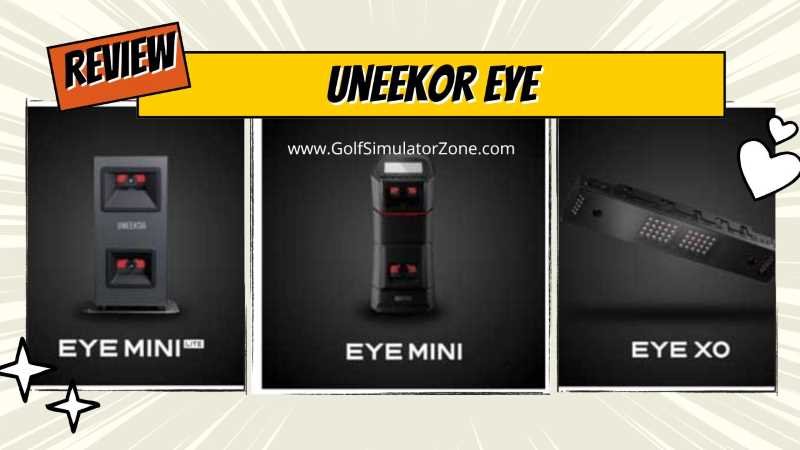
In this deep dive Uneekor Eye review, we’re going to break down every model in the Uneekor Eye lineup (EYE Mini Lite, EYE Mini, EYE XR, EYE XO, and EYE XO2). We’ll talk about which one fits your space, your budget, and your swing. Let’s get into the nitty-gritty.
Uneekor Eye Review – Let’s be real — buying a golf launch monitor feels a lot like buying a car. There’s an overwhelming number of options, confusing spec sheets, and salespeople who love throwing around words like “tour-level accuracy” without much to back it up. So when Uneekor burst onto the scene with their Eye lineup, golfers everywhere started asking the same question: Is this thing actually worth it?
Spoiler alert? For many golfers, yes — absolutely. But the devil is in the details. And in this comprehensive Uneekor Eye review, we’re going to dig into every nook and cranny of Uneekor’s monitor lineup — the flagship EYE XO2, the portable Eye Mini, and their supporting cast — so you can make a genuinely informed decision before dropping serious cash.
Whether you’re building a dedicated home simulator bay, coaching students indoors, or just want to stop guessing what your swing is doing, this guide has you covered. Let’s get into it.

What is the Uneekor Eye Series?
Before we start comparing models like they’re Pokémon, let’s get one thing straight: Uneekor is known for one thing above all else—photometric precision.
Unlike radar-based systems (think TrackMan or Mevo+) that track the ball’s flight through the air using Doppler radar, Uneekor uses high-speed infrared cameras. Think of it like a referee standing directly over the ball at impact. It’s not guessing where the ball is going based on the radar signature; it’s watching exactly what happens when metal meets urethane. This optical approach gives it some serious advantages indoors, where radar can sometimes get confused by metal interference or limited flight distance.
Across the Uneekor lineup, you’re looking at systems that capture anywhere from 19 to 25 key metrics, including ball speed, launch angle, spin rates (back and side), club path, face angle, and attack angle. And the best part? You don’t need to be a rocket scientist to understand the data.
Their product lineup spans from the ceiling-mounted EYE XO and EYE XO2 to the portable Eye Mini and the budget-friendlier Eye Mini Lite. Let’s walk through each one.


Uneekor Eye Mini Lite Review: The Budget-Friendly Powerhouse
1. Who is the Eye Mini Lite For?
If you’re building a permanent indoor simulator but your wallet is already sweating from the cost of the projector and screen, the Uneekor Eye Mini Lite is your new best friend. This unit was designed for the person who says, “I don’t need to take this to the grass range; I just want the most accurate data possible in my garage.”
2. Key Features and Performance
Here’s the secret sauce: The Eye Mini Lite gives you the exact same camera technology and data accuracy as the higher-end models, just without the battery and built-in screen of the standard Mini. It’s like buying a sports car without the leather seats—you get the same engine, just a bit less fluff.
It tracks 19 precise data points using dual high-speed cameras. We’re talking club speed, smash factor, spin axis, and carry distance. Independent testing shows that the accuracy is within 1-2% of a GCQuad, which costs significantly more. If that doesn’t make you feel like a pro, I don’t know what will.
3. Setup and Connectivity
One thing to note: this unit needs a permanent power source and a wired Ethernet connection to your PC. No Wi-Fi. No battery. That might sound like a hassle, but once those cables are tucked away, you’ll never have to worry about lag spikes or dropouts mid-round.
Best For: Budget-conscious golfers building a permanent indoor space.
Read: Uneekor Eye Mini vs Eye Mini Lite
Uneekor Eye Mini Review: Take the Data on the Go
1. Portability Meets Precision
Let’s say you’re the type of golfer who wants to practice at home on Tuesday night, but also wants to verify your numbers at the outdoor range on Saturday morning. That’s where the Uneekor Eye Mini (the standard version) shines.
Unlike the Lite, this guy has an internal battery and a 4-inch sunlight-readable E-Ink display. You can plop it down next to your mat at the range, hit a few drives, and see your ball speed and spin numbers right on the device without squinting at your phone in the sun.


2. What’s the Difference?
Honestly, the data is identical to the Lite. You’re paying extra for that battery and the screen. But if you’ve ever tried to check your laptop screen on a sunny driving range, you’ll understand why that little E-Ink display is worth its weight in gold.
Best For: The serious player who needs data both indoors and out.
3. Eye Mini Accuracy vs. GC3: How Close Is It?
This is the big question. In direct testing, the Eye Mini and Foresight GC3 delivered impressively similar data:
- Driver carry distance: Eye Mini averaged 225.4 yards vs. GC3’s 226.8 yards — a 1.4-yard gap
- 7-iron carry: Eye Mini at 162 yards vs. GC3 at 167 yards — a 5-yard difference attributed mainly to a 2 mph ball speed delta
- Spin rates and launch angles: Nearly identical across both units
For most golfers, that level of consistency across sessions is more than sufficient to drive meaningful improvement. However, Foresight Sports does argue (on their own blog, admittedly) that some of Uneekor’s club data is modeled rather than directly measured — worth knowing, though real-world testing suggests the gap is smaller than Foresight’s marketing implies.
4. Uneekor Eye Mini vs. Foresight GC3: The Mid-Range Battle
The mid-range market — roughly $4,000 to $7,000 — is where the Eye Mini and GC3 duke it out. And in 2025–2026, this fight got even more interesting with new GC3 pricing tiers and Garmin’s Approach R50 entering the ring.
The Eye Mini wins on the unboxing experience (seriously, that case is something else), the intuitiveness of the VIEW software for the average golfer, and its Club Optix slow-motion impact video. The GC3 wins on established brand trust, direct club data measurement (vs. Uneekor’s partially modeled approach), and the Foresight software ecosystem.
Neither is a wrong choice — but knowing what you prioritize makes the decision much cleaner.
5. Eye Mini Software: VIEW vs. the Competition
The Eye Mini comes with Uneekor’s VIEW software — a clean, intuitive platform for data visualization and slow-motion replay. A subscription upgrade unlocks Refine, GameDay, and third-party compatibility with GSPro and E6 Connect.
By mid-2025, the Uneekor GameDay simulator software had launched as a direct competitor to Foresight’s FSX Play. The consensus? FSX Play still has a slight edge in simulation experience, but Uneekor VIEW beats FSX Pro on raw intuitiveness and user experience. The gap is narrowing fast.
Uneekor Eye XR Review: The Low-Profile Overhead Option
1. Space-Saving Design
Okay, so you want an overhead unit, but you don’t want a massive piece of tech hanging directly over your swing plane? Enter the Uneekor Eye XR. This is the sleeper hit of the Uneekor family. Unlike the XO models, the XR is mounted behind you, about 3.5 feet back from the hitting area.
This has two massive benefits. First, it keeps the floor area totally clear. Second, and more importantly for those of us with steep swings, you cannot hit this thing with a golf club. It’s physically out of the danger zone. If you’ve ever flinched while swinging under a ceiling-mounted unit, the XR gives you peace of mind.
2. No Stickers Required
Here’s where the XR really stands out. It uses AI Club Tracking to read your club data without requiring those pesky reflective stickers. And for the ball? It uses Dimple Optix technology to read the dimples, meaning you can use whatever ball you want—Pro V1s, range rocks, or that weird Pinnacle you found in the woods.
Best For: Golfers who want a clean, low-profile overhead setup without the hassle of club stickers.
Uneekor Eye XO Review: The Gold Standard
1. The Classic Choice
If you’ve heard of Uneekor, you’ve heard of the Eye XO. This is the unit that put them on the map for home simulators. It’s a ceiling-mounted beast that uses dual high-speed cameras to capture a ton of data. With a price tag around $8,000, it sits in that premium-but-not-insane sweet spot.
2. Accuracy and Data
The Eye XO measures 24 key data points across both ball and club metrics. This includes everything from club path and face angle to total distance and descent angle. Independent testing shows it’s particularly deadly accurate with mid and short irons. In one driving range test, the average carry distance difference for a 6-iron was a mere 3.85 yards (or 2.22%) compared to reality. That’s within the margin of error of most rangefinders.
3, Hitting Zone
The hitting zone is generous at 28 inches wide by 21 inches deep, which makes it comfortable for both right- and left-handed golfers sharing the same space.
Best For: Golfers wanting a proven, reliable overhead system with a wide hitting area.
Read: Uneekor EYE XO Review: Cost And Accuracy
Uneekor Eye XO2 Review: The Next Generation
1. What’s New in the XO2?
The Uneekor Eye XO2 is the XO’s bigger, smarter sibling. Priced around $11,000, it takes everything great about the XO and cranks it up to eleven. The biggest upgrade? A third high-speed infrared camera and a hitting zone that is 300% larger than the original XO.
Why does a bigger hitting zone matter? If you’re practicing with friends or if you’re a family of mixed handedness, you won’t have to shuffle mats around or recalibrate every five minutes. The XO2 just sees the ball wherever it is.
2. Enhanced Data and Features
The XO2 doesn’t just track the ball; it tracks 25 key metrics and offers detailed impact visuals through Club Optix technology. This shows you exactly where on the clubface you made contact—heel, toe, center, you name it. The optional Performance Optix package ($13,000) adds two extra swing cameras to analyze your body movement, weight transfer, and posture.
Best For: Serious home users and commercial facilities that need the biggest hitting zone and the most detailed impact data.
3. EYE XO2 Accuracy: Does It Really Deliver?
In head-to-head testing against competitors, including Foresight’s GCQuad and FlightScope’s X3, the EYE XO2 held its ground impressively. Variance in clubhead speed readings across repeated shots was less than 0.3 mph — that kind of consistency is the hallmark of a serious tool, not a toy. The triple-camera triangulation means the system isn’t guessing; it’s measuring.
That said, the EYE XO2 requires an Ethernet connection and a capable PC (at minimum an Intel i7, 16GB RAM, RTX 3060 or equivalent). This isn’t a plug-and-play unit — it’s a dedicated installation.
4. Setup and Space Requirements
Installing the EYE XO2 is a commitment. The unit mounts to the ceiling at 9–10 feet high, positioned 3.5 feet in front of the tee. Uneekor recommends having at least two people for the installation, given the need to work on a ladder while handling a unit that can weigh up to 30 lbs. A built-in leveling tool on the bracket helps ensure precise alignment, but small errors here can affect accuracy downstream.
Once installed, though? You literally never have to touch it again. Walk in, fire up the software, grab a club, and swing. The EYE XO2 auto-detects left- and right-handed stances without requiring you to move anything. For families or coaches with mixed students, this is a genuinely big deal.
5. Club Optix and Ball Optix: Visual Feedback That Actually Helps
The EYE XO2 brings two visual analysis features that set it apart from number-only monitors. Ball Optix shows you exactly what the ball is doing at impact — spin axis, trajectory initiation, the works. Club Optix delivers slow-motion video of the club at the moment of impact, giving you visual context for your numbers. It’s like having a video referee for every swing you take.
6. Uneekor Eye XO2 vs. Foresight GC3: Which Wins?
Here’s where things get genuinely interesting. Both the EYE XO2 and GC3 compete in the serious home buyer tier, and both deliver excellent accuracy. But they’re fundamentally different tools designed for different workflows.
The EYE XO2 is an overhead system with zero daily setup. You walk into your bay, and it’s ready. No alignment to check, nothing to step around, nothing to knock out of position with an errant shot. For someone who practices daily, this friction-free experience has genuine long-term value.
The GC3 is portable and part of the Foresight ecosystem, which includes FSX Pro, one of the most polished simulation software suites in the business. If you want to move your monitor between locations or rely on Foresight’s established software library, the GC3 has an edge.
The bottom line? If you’re building a permanent simulator bay and want overhead simplicity, go EYE XO2. If portability and the Foresight software ecosystem matter more, the GC3 makes sense. They’re comparable in accuracy. The decision is really about workflow.
7. Uneekor Eye XO2 Pros and Cons: The Honest Verdict
Pros
- Tour-level accuracy from a triple-camera system
- Massive hitting area eliminates alignment anxiety
- Zero daily setup after installation
- Left/right-handed auto-detection
- Full club and putting data with no extra fees
- Dimple Optix works with any ball — no stickers needed
- Immersive Club Optix slow-motion impact replay
Cons
- Requires Ethernet connection — no Wi-Fi option
- Needs a capable and dedicated PC
- Professional installation recommended (not a weekend project)
- Software subscriptions add to the total cost of ownership
- Not portable — this is a permanent fixture
Uneekor Eye Comparison Table
Let’s put this side-by-side so you can see the forest for the trees.
| Model | Mount Type | Portability | Cameras | Hitting Zone | Key Feature | Price (Approx) |
|---|---|---|---|---|---|---|
| EYE Mini Lite | Floor | Indoor Only | 2 | 12″ x 8″ | Best value, identical data | ~$2,750 |
| EYE Mini | Floor | Indoor/Outdoor | 2 | 12″ x 8″ | Battery + E-Ink display | ~$4,500 |
| EYE XR | Overhead (Rear) | Indoor Fixed | 2 | Standard | AI tracking, no stickers | ~$6,000 |
| EYE XO | Overhead (Top) | Indoor Fixed | 2 | 28″ x 21″ | Proven accuracy, wide zone | ~$8,000 |
| EYE XO2 | Overhead (Top) | Indoor Fixed | 3 | 28″ x 21″ (300% larger) | Triple camera, Optix tech | ~$11,000 |
Summary Uneekor Model Comparison Table
| Feature | EYE XO2 | Eye Mini | Eye Mini Lite | EYE XO |
|---|---|---|---|---|
| Mounting | Ceiling | Floor/Portable | Floor/Portable | Ceiling |
| Cameras | 3 high-speed | 2 high-speed | 2 high-speed | 2 high-speed |
| Hitting Zone | 28″ x 21″ | Side-mounted | Side-mounted | Smaller |
| Approx. Price | $6,999–$11,000 | ~$4,000 | ~$2,500 | ~$8,000 |
| Dimple Optix | ✅ Yes | ✅ Yes | ✅ Yes | ✅ Yes |
| Club Optix | ✅ Yes | ✅ Yes | ✅ Yes | ✅ Yes |
| Club Stickers Needed | Partially | Partially | Partially | Partially |
| Full Club Data | ✅ Included | ✅ Included | ✅ Included | ✅ Included |
| Portable | ❌ No | ✅ Yes | ✅ Yes | ❌ No |
| Best For | Dedicated SIM bays | Home + range use | Budget-conscious | Permanent install |


Software and Simulation Experience
1. Uneekor View and Refine
Every Uneekor purchase comes with VIEW software, which is your basic driving range and data analysis suite. You get a 3-month trial of the extended packages to start. From there, you can upgrade to Refine (5 courses plus training modes) or Refine+ (20 world-class courses).

2. Refine / Refine+ (Subscription Add-On)
Step up to Refine, and you unlock structured training modes, a small library of included courses, skill challenges, and more advanced stat tracking. Refine+ expands the course catalog and adds multiplayer. Think of it as VIEW’s smarter, more motivated sibling.
3. Third-Party Compatibility
Here’s where Uneekor really opens up. Unlike some competitors that lock you into their own software ecosystem (cough, Foresight), Uneekor plays nice with pretty much everyone. You can seamlessly integrate with GSPro, TGC 2019, E6 Connect, and Awesome Golf.
If you’re building a simulator for entertainment as much as improvement, this flexibility is gold. GSPro, in particular, has become the darling of the home sim community thanks to its stunning 4K graphics and massive course library.
4. GameDay (Subscription)
Uneekor’s answer to full simulation. GameDay gives you course play, online multiplayer, and integration with third-party platforms. As of early 2026, GameDay is solid but still playing catch-up to FSX Play in terms of visual polish and course selection breadth.
5. The Subscription Question
Let’s address the elephant in the room. Does Uneekor require a subscription? The hardware gives you access to the VIEW software with no hidden paywalls for basic functionality. However, if you want the premium course packages (Refine/Refine+) or the full GSPro experience, those come with their own fees (GSPro is typically $250/year; Refine+ Ultimate Package is $599/year).
Setting Up Your Uneekor Simulator
1. Space Requirements
You’re going to need some room. While Uneekor’s overhead units can read the ball almost instantly, you still need enough space to swing a driver comfortably without hitting the wall. The general rule of thumb for indoor simulators is:
- Minimum space: 10 feet wide x 9 feet tall x 16 feet deep
- Monitor mounting height: 9–10 feet above the ball
- Front clearance: The EYE XO2 bar must sit 3.5 feet in front of the tee position
- Screen-to-projector distance: 7–8 feet behind the screen
- Backswing clearance: Allow 4–5 feet behind the hitting area
The XO and XO2 models need to be mounted directly above the hitting area. The XR is mounted behind you, which can be a game-changer for rooms with tricky ceiling joists or low clearances.
For the portable Eye Mini, your constraints are primarily ceiling height (you’ll want at least 9 feet to swing freely) and a dark enough indoor environment for optimal camera performance.

2. Computer Requirements
These systems are powerful, but they need a decent PC to run the software. For the Mini Lite and other models, Uneekor recommends at least an Intel i5 (10th gen or newer) and 16GB of RAM. If you want to run GSPro in 4K on a giant screen, bump those specs up. We’re talking a solid gaming PC, not the laptop you use for emails.
3. Pricing Overview: What Does the Full Setup Actually Cost?
Let’s be transparent about the total cost of ownership, because the monitor price alone doesn’t tell the full story:
- EYE XO2 monitor: $6,999–$11,000, depending on package
- Full simulator build (screen, projector, hitting mat, PC): Add $5,000–$10,000+
- Software subscriptions: VIEW is free; Refine adds ~$1,000+; Champion/Legend tiers vary
- GSPro integration: Annual subscription on top
- Eye Mini: Starting around $4,000 for the standard model
Yes, a full EYE XO2-based simulator can push $15,000–$20,000 all-in. But compared to the $25,000+ cost of a TrackMan setup or the $14,999 Foresight Falcon, you’re getting comparable capability at a meaningfully lower price point.
Uneekor vs. The Competition
1. Uneekor vs. Foresight (GCQuad/Falcon)
This is the heavyweight fight. Foresight is the other big name in camera-based launch monitors. The GCQuad is the gold standard for club fitters, but it’s also $15,000+. The Foresight Falcon is their overhead competitor to the Eye XO2.
The main difference? Stickers. Foresight typically requires marked balls (and sometimes club stickers) for full data. Uneekor has been moving away from this (especially with the XR) and offers more flexibility with software. If you hate fiddling with tiny reflective dots, Uneekor is often the more user-friendly choice.
Read: Foresight Falcon VS Uneekor EXO2
2. Uneekor vs. TrackMan
This is an apples-to-oranges comparison. TrackMan uses radar and is king outdoors because it tracks the full ball flight. Uneekor uses cameras and is king indoors because it captures impact data with surgical precision. If you have a dedicated indoor sim room, Uneekor wins on value and ease of use. If you want to take your unit to the driving range every day, you might lean toward a radar unit (though the Eye Mini is a strong contender here).
Is Uneekor Worth It in 2026?
Here’s the honest answer — if you’re committed to improving your game indoors and you want data that actually means something, Uneekor delivers. The EYE XO2 is the gold standard for dedicated ceiling-mounted simulators, and the Eye Mini punches well above its weight in the portable category.
Is it perfect? No. The subscription model for software can feel like a moving target; the EYE XO2 installation isn’t casual, and some club data remains partially modeled. But in the real world, where consistency, usability, and total experience matter as much as spec-sheet bragging rights, Uneekor earns its reputation.
The question isn’t really “is Uneekor good?” — it’s “which Uneekor is right for you?” Hopefully, this review gave you the answer.
Conclusion
In this Uneekor Eye Review: The Uneekor Eye lineup represents one of the most compelling value propositions in golf technology right now. Whether you’re eyeing the triple-camera precision of the EYE XO2 or the portable versatility of the Eye Mini, you’re getting genuinely pro-grade data wrapped in software that doesn’t require a PhD to operate.
As the mid-range launch monitor market gets more competitive by the month, Uneekor continues to evolve — with AI features like AIMY set to roll out later in 2026. The brand isn’t resting on its laurels, and that’s exactly the kind of company worth investing in.
If you’re ready to stop guessing and start knowing what your golf swing is actually doing, a Uneekor Eye monitor deserves a serious look.
👉 Get Special Offers From Uneekor
FAQs About Uneekor Eye
Do I need special marked balls for the Uneekor Eye?
It depends on the model. The Eye XR uses AI Dimple Tracking, so you can use any ball you want. The Eye XO and XO2 track the ball without markings as well, but they require small reflective stickers on your clubs to get full club data (face angle, path, etc.). The stickers are durable and included in the box.
Can I use the Uneekor Eye outdoors?
Only the Uneekor Eye Mini (standard version) is truly portable for outdoor use. The overhead units (XO, XO2, XR) and the Mini Lite are designed for indoor use only. Infrared cameras can struggle in direct, bright sunlight.
Which Uneekor is best for left and right-handed golfers?
The Uneekor Eye XO2. Its massive hitting zone is 300% larger than the original XO, meaning you can switch between a righty and a lefty without moving the ball position or the sensor. It’s the king of mixed-handedness.
Is the Uneekor Eye Mini Lite good enough for a professional coach?
Absolutely. It provides the exact same 19 data points and the same sub-2% accuracy as the higher-end Mini and XO models. For a coach working indoors, the data is indistinguishable from the more expensive units. The only limitation is that it’s not portable for outdoor lessons.
How long does it take to set up a ceiling-mounted Uneekor?
Once you’ve got the mount installed and the cable run, calibration takes about 30 minutes. It’s not a "plug and play" process like a floor unit, but it’s a one-time job. Once it’s dialed in, you never have to touch it again. Just walk in and swing.
Can I use the Uneekor EYE XO2 without a dedicated PC?
No — the EYE XO2 requires a capable PC for data processing and software. At minimum, you'll want an Intel i7 processor, 16GB RAM, and a modern GPU like the RTX 3060. Tablets and mobile devices won't cut it for this unit.
Does the Uneekor Eye Mini work outdoors?
Yes! One of the Eye Mini's key advantages over overhead units is its portability and outdoor usability. The display is designed to be legible in brighter conditions, though performance is naturally best in indoor or shaded environments where camera readings are most consistent.
How does the Uneekor Eye Mini compare to the Bushnell Launch Pro?
Both are solid portable launch monitors in a similar price range. The Eye Mini tends to edge out on software intuitiveness and the visual impact data (Club Optix), while the Launch Pro benefited from a major software update with the new Foresight app in mid-2025. As of 2026, the Eye Mini leads on the packaging and overall build quality experience, while the Launch Pro has narrowed the software gap significantly.
Is Uneekor's Dimple Optix technology truly accurate for spin measurement?
In real-world testing, yes — Dimple Optix delivers spin data that closely mirrors competing monitors without requiring any ball markers. The camera system captures dimple patterns at thousands of frames per second to calculate spin axis, backspin, and sidespin. While Foresight claims direct measurement superiority, practical testing shows the difference is minimal for the majority of recreational and competitive amateur golfers.
What simulator software works with Uneekor monitors?
Uneekor monitors are compatible with a range of third-party simulation software, including GSPro, E6 Connect, and TGC 2019. An active subscription at the Champion or Legend software tier is required to unlock third-party integrations. Uneekor's own VIEW, Refine, and GameDay software are also available, with GameDay representing their most complete simulation experience as of 2026.