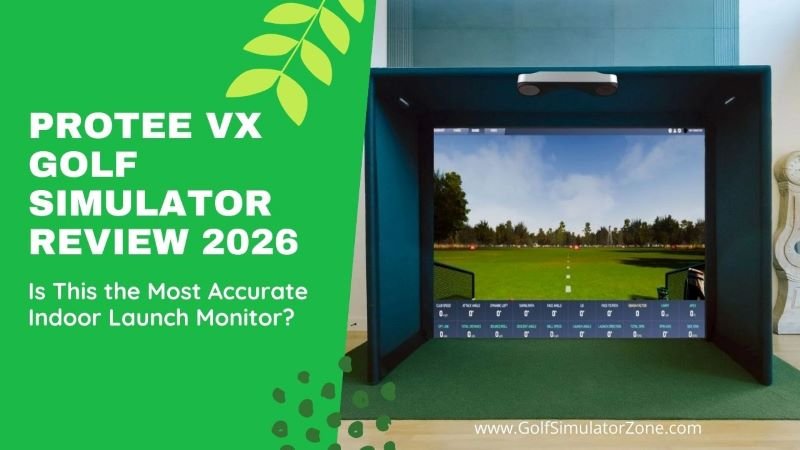
ProTee VX Golf Simulator Review: Is This the Most Accurate Indoor Launch Monitor?
If you’ve ever dreamed of turning your garage, basement, or spare room into a tour-level indoor golf studio, the ProTee VX Golf Simulator has probably popped up on your radar. And honestly? It should.
The ProTee VX Golf Simulator: Your Complete Guide to Affordable Overhead Excellence
ProTee VX Golf Simulator Review – Imagine having a professional-grade golf simulator in your home without needing a second mortgage. What if you could get overhead-mounted precision—the kind used in elite training facilities—for less than the price of many floor-standing launch monitors? That’s exactly the promise of the ProTee VX Launch Monitor, a device that’s shaking up the indoor golf world by making pro-style simulation genuinely accessible.
Golf simulator technology has advanced dramatically, but the leap to overhead systems has often been gated by a daunting price tag. The ProTee VX, priced at around $6,500, changes that equation entirely. It’s not just another launch monitor; it’s a complete ceiling-mounted photometric system that delivers instant, precise feedback on every aspect of your swing and ball flight.


For golfers serious about improving their game year-round from the comfort of their garage, basement, or dedicated sim room, the VX represents a watershed moment where high-end technology meets real-world budgets. Let’s dive into what makes this system a potential game-changer for your home setup.
What is the ProTee VX? A New Era of Accessible Precision
At its core, the ProTee VX is a vision-based, ceiling-mounted launch monitor. Unlike radar-based units that sit behind you or photometric units on the floor, the VX is designed to be installed permanently above and slightly in front of the hitting area. This overhead perspective is a game-changer. It uses dual high-speed cameras paired with artificial intelligence and machine learning to directly measure—not just estimate—a comprehensive suite of ball and club data points the moment you strike the ball.
Perhaps its most user-friendly feature is what it doesn’t require: no special marked balls, no clubhead stickers, and no tedious recalibration. You simply use your own gamer balls and clubs. The system’s AI recognizes the clubhead geometry, places virtual tracking markers, and captures everything in stunning detail. This plug-and-play simplicity removes the friction that often plagues other systems, letting you focus on what matters: hitting shots and getting better.

Key Features & Game-Changing Technology: Why the VX Stands Out
The ProTee VX isn’t just affordable; it’s packed with features that compete with units costing twice as much. Here’s a breakdown of the tech that makes it special:
- Dual High-Speed Cameras & AI Processing: This is the brain of the operation. The cameras capture thousands of frames per second, while the onboard AI analyzes the images to deliver data feedback in less than 0.3 seconds. This means you see your ball flight and all your numbers almost instantly after impact, creating a seamless and immersive practice session.
- Unmatched Video Replay Features: This is where the VX truly shines. The overhead angle provides a “bird’s-eye view” slow-motion replay of the club at impact. Experts who have tested it note the video quality is exceptional, allowing you to clearly see the clubface angle, path, and even how the turf interacts with the mat. A unique Spin Validator feature adds colored tracking dots to a video of the ball just after impact, giving you a visual confirmation of your spin axis.
- Massive, Flexible Hitting Zone: With a configurable hitting area of 25 inches long by 21 inches wide, you have incredible freedom of movement. There’s no need to obsessively position the ball on a tiny dot. This large zone, combined with the ceiling mount, also makes the system instantly compatible for both right and left-handed players without any adjustments.
- Complete Data Suite: The VX leaves no metric behind. It provides over 20 key data points, including:
- Ball Data: Speed, launch angle, spin (total, back, side), spin axis.
- Club Data: Speed, path, face angle, attack angle, dynamic loft, lie angle, and precise horizontal and vertical impact location.
- Flight Data: Carry and total distance, apex height, descent angle, and offline amount.


Installation & Space Requirements: Setting Up Your Home Golf Sanctuary
One of the biggest advantages of an overhead monitor is the clean, clutter-free hitting area. However, proper installation is key. Here’s what you need to know:
- Ceiling Height: You’ll need a minimum ceiling height of 9 feet (2.75 meters), with 10 feet being ideal.
- Mounting Position: The unit mounts directly to your ceiling (or to a sturdy simulator frame) 3 to 4 feet in front of the golf ball, and 9 to 10 feet above the hitting surface. Following the provided guidelines is crucial for optimal accuracy.
- Room Depth: You need enough space to swing a driver comfortably and for the ball to travel to the screen. A common recommendation is at least 10 feet from ball to screen, with more depth being beneficial for realism and safety.
- The Mounting Process: While it involves securing a bracket to a ceiling joist, retailers and users describe it as straightforward. Many opt for professional installation, but confident DIYers can manage it with careful measurement.
1. Why Ceiling-Mounted Matters
- No unit on the floor to damage
- No alignment before each session
- No interference with putting or stance
- Clean, professional simulator look
Once installed, it just works. Like a built-in golf brain above your head.
Software Ecosystem: ProTee Labs, GSPro, and Endless Play
The hardware is only half the story. The ProTee VX comes with a perpetual license for ProTee Labs software—meaning no annual subscription fees to access your core data. ProTee Labs is a powerful, data-forward platform perfect for practice. It offers customizable data panels, shot dispersion mapping, bag mapping, and full integration with the included swing cameras.
For playing virtual golf on world-famous courses, the VX integrates seamlessly with popular third-party simulation software:
- GSPro: Arguably the most popular community-driven sim software today. The VX connects directly to GSPro, giving you access to hundreds of highly detailed courses without needing an expensive annual connector license.
- E6 Connect & Others: The VX is also compatible with E6 Connect, Creative Golf 3D, and previously supported TGC 2019 (now discontinued). Some connections may require a separate interface box.
For family fun, you can optionally purchase ProTee Play, an arcade-style package that lets you use your simulator for sports like soccer, zombie shooting games, and long-drive contests.

ProTee VX Golf Simulator Review: How Does the ProTee VX Compare? Making an Informed Choice
Is the ProTee VX the right launch monitor for you? The answer depends on your priorities. The following table compares it to other popular types of systems in its competitive sphere.
| Feature | ProTee VX | Radar-Based Units |
|---|---|---|
| Indoor Accuracy | ⭐⭐⭐⭐⭐ | ⭐⭐⭐ |
| Space Required | Low | High |
| Ceiling Mount | Yes | No |
| Club Data | Camera-Based | Calculated |
| Setup Stability | Permanent | Re-align Often |
| Feature | ProTee VX (Overhead Photometric) | Uneekor EYE MINI (Portable Photometric) | FlightScope Mevo+ (Radar) |
|---|---|---|---|
| Primary Technology | Dual overhead cameras with AI | Portable, single-camera unit | Doppler radar |
| Typical Price Point | ~$6,500 | ~$4,500+ | ~$2,000+ (with Pro Package) |
| Key Advantage | Permanent, pro-style setup. No floor clutter, perfect for multi-player/lefty-righty use. | Portability. It can be used indoors and easily taken to the range. | Outdoor/Indoor flexibility. Great for outdoor range use and can work indoors with enough space. |
| Ideal User | The golfer is building a dedicated, permanent home simulator that values convenience and a professional setup. | The golfer who wants a great indoor simulator but also plans to use the monitor frequently outdoors. | The golfer who values outdoor practice data and has a large indoor space (16+ ft depth) for accurate radar operation. |
| Club Data Requirement | None. Uses AI for mark-less club tracking. | Requires special club stickers for club data. | No stickers for basic data; impact location requires optional stickers. |


| Feature | ProTee VX | Uneekor Eye XO | Foresight GC3 | SkyTrak+ |
|---|---|---|---|---|
| Tracking Technology | Dual High-Speed Cameras | Dual High-Speed Cameras | Photometric Cameras | Camera-Based |
| Mount Type | Ceiling-Mounted | Ceiling-Mounted | Floor-Based | Floor-Based |
| Indoor Accuracy | ⭐⭐⭐⭐⭐ | ⭐⭐⭐⭐⭐ | ⭐⭐⭐⭐ | ⭐⭐⭐ |
| Club Data Without Stickers | ✅ Yes | ✅ Yes | ❌ No | ❌ No |
| Left & Right-Handed Support | ✅ Yes | ✅ Yes | ❌ Limited | ❌ Limited |
| Space Required | Low | Low | Medium | Medium |
| Software Compatibility | GSPro, E6, TGC | Uneekor, GSPro | FSX Only | SkyTrak Software |
| Best For | Serious Home & Commercial Use | Elite Home Studios | Portable Indoor Use | Budget Indoor Golf |
| Price Range | $$$$ | $$$$ | $$$$ | $$ |
| Best Deal | 👉 Check Price | 👉 Check Price | 👉 Check Price | 👉 Check Price |
The Verdict: If your dream is a set-it-and-forget-it home simulator that feels like a commercial bay, the ProTee VX’s overhead design is a massive advantage. If portability is your top concern, a floor unit might be better. The VX’s core value proposition is delivering that premium overhead experience at a mid-tier price.
| Product | Best For | Accuracy | Ease of Use | Value for Money | |
|---|---|---|---|---|---|
| ProTee VX | Long-term indoor accuracy | ⭐⭐⭐⭐⭐ | ⭐⭐⭐⭐ | ⭐⭐⭐⭐ | 🛒 Buy Now |
| Uneekor Eye XO2 | Premium studios | ⭐⭐⭐⭐⭐ | ⭐⭐⭐⭐ | ⭐⭐⭐ | 🛒 Buy Now |
| Uneekor QED | Mid-range ceiling setups | ⭐⭐⭐⭐ | ⭐⭐⭐⭐ | ⭐⭐⭐⭐ | 🛒 Buy Now |
| TrackMan iO | Commercial & coaching | ⭐⭐⭐⭐⭐ | ⭐⭐⭐ | ⭐⭐ | 🛒 Buy Now |
| Data Point | ProTee VX | Radar-Based Units |
|---|---|---|
| Ball Speed Accuracy | Excellent | Good |
| Spin Rate Accuracy | Excellent | Moderate |
| Launch Angle | Highly Accurate | Estimated Indoors |
| Miss-Hit Detection | Very Precise | Less Reliable |
| Indoor Performance | ⭐⭐⭐⭐⭐ | ⭐⭐⭐ |
| 💰 Budget Under $3,000 | ||
| Product | Why Choose It | |
|---|---|---|
| SkyTrak+ | Entry-level simulator | 👉 Check Price |
| Rapsodo MLM2PRO | Mobile-friendly | 👉 Check Price |
| 💰💰 Mid-Range $3,000 – $6,000 | ||
| Product | Why Choose It | |
| Uneekor QED | Ceiling mount, good accuracy | 👉 Check Price |
| GC3 (Used) | Trusted ball data | 👉 Check Price |
| 💰💰💰 Premium $6,000+ | ||
| Product | Why Choose It | |
| ProTee VX | Best value ceiling-mounted system | 🛒 Buy Now |
| Uneekor Eye XO2 | Ultra-premium performance | 🛒 Buy Now |
| TrackMan iO | Commercial-grade | 🛒 Buy Now |
Conclusion: Is the ProTee VX Right For You?
ProTee VX Golf Simulator Review – The ProTee VX has earned its positive buzz by filling a specific and valuable niche. Before you take the plunge, consider these final points:
- The Pros: Unbeatable value for an overhead system, exceptional video feedback, no ongoing software fees for core features, a clutter-free space, and hassle-free righty/lefty switching.
- The Cons: It’s a permanent installation, so portability is zero. It requires a room with sufficient ceiling height. Also, while ProTee Labs is excellent for practice, playing simulation courses requires purchasing separate third-party software.
- The Bottom Line: The ProTee VX is a revolution for the home simulator enthusiast. It democratizes technology that was once reserved for high-end commercial installations or the wealthiest of home users. By combining precise, camera-measured data with the unparalleled convenience of a ceiling mount—and doing it at this price point—ProTee United hasn’t just released another product; they’ve changed the conversation about what’s possible in a home golf studio.
If you’re ready to invest in a long-term home golf solution that will grow with your game and provide endless hours of practice and play, the ProTee VX isn’t just an option; it’s a compelling front-runner that demands your attention.
FAQs
- Do I need a powerful computer to run the ProTee VX?
Yes, you will need a dedicated Windows PC. The minimum specs include a Windows 10 (64-bit) OS, an Intel i7 processor, 8GB RAM, and an NVIDIA RTX 3060 graphics card. For the best experience with simulation software like GSPro, a more powerful rig (i9 processor, 16GB RAM, RTX 3080 or better) is strongly recommended. - Can I use the ProTee VX in a room with low ceilings?
Unfortunately, no. The system requires a minimum ceiling height of 9 feet (2.75 meters) to be mounted at the correct angle in front of the ball. Ten-foot ceilings are considered ideal for the setup. - What is the warranty and return policy for the ProTee VX?
The ProTee VX comes with a one-year limited warranty from the manufacturer covering defects in materials and workmanship. Be aware that most authorized sellers have a final sale or “all sales final” policy on the VX, meaning returns are typically not accepted unless the unit is damaged during shipping. Always double-check the policy with your specific retailer before purchasing. - Does the included software let me play famous golf courses?
No, the included ProTee Labs software is primarily for practice, data analysis, and range sessions. To play simulated rounds on famous courses like Pebble Beach, you will need to purchase a license for third-party simulation software such as GSPro or E6 Connect, which the VX is fully compatible with. - How does the ProTee VX handle putting?
The ProTee VX is capable of measuring putting. The included ProTee Labs software has a dedicated practice green for putting analysis. When using third-party simulation software (like GSPro), you can play full rounds, including putting, using the data captured by the VX’s cameras to simulate the roll of the ball on the virtual green. - Is the ProTee VX accurate for indoor golf?
Yes, it’s considered one of the most accurate ceiling-mounted, camera-based launch monitors for indoor use. - Does ProTee VX require club stickers?
No, it captures club data without reflective stickers, making practice smoother and faster. - Can beginners use ProTee VX?
They can, but it’s best suited for committed golfers who value detailed swing data. - What software works best with ProTee VX?
GSPro is the most popular choice, though E6 Connect and TGC 2019 also work well. - Is ProTee VX better than radar launch monitors indoors?
Yes, camera-based systems like ProTee VX outperform radar units in indoor environments.